Coinhouse allows you to view and download your Euro Account statements month by month, from the webapp or the mobile application.
From the webapp:
-
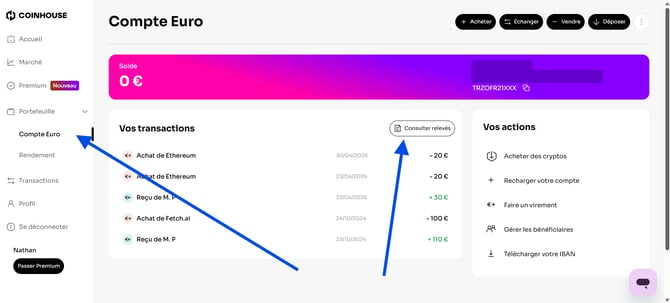
In the left-hand menu, open Portfolio then click on Euro Account.
-
In the Your transactions section, click on the View statements button at the top right.
-
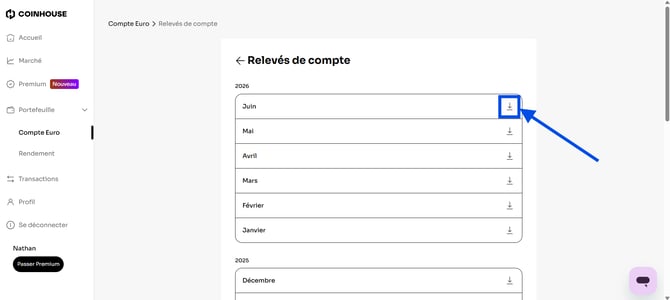
You will reach the Account statements page, which lists your available statements by year and by month.
-
Click on the download icon ↓ next to the desired month. The statement will download directly to your device.
From the mobile application:
-
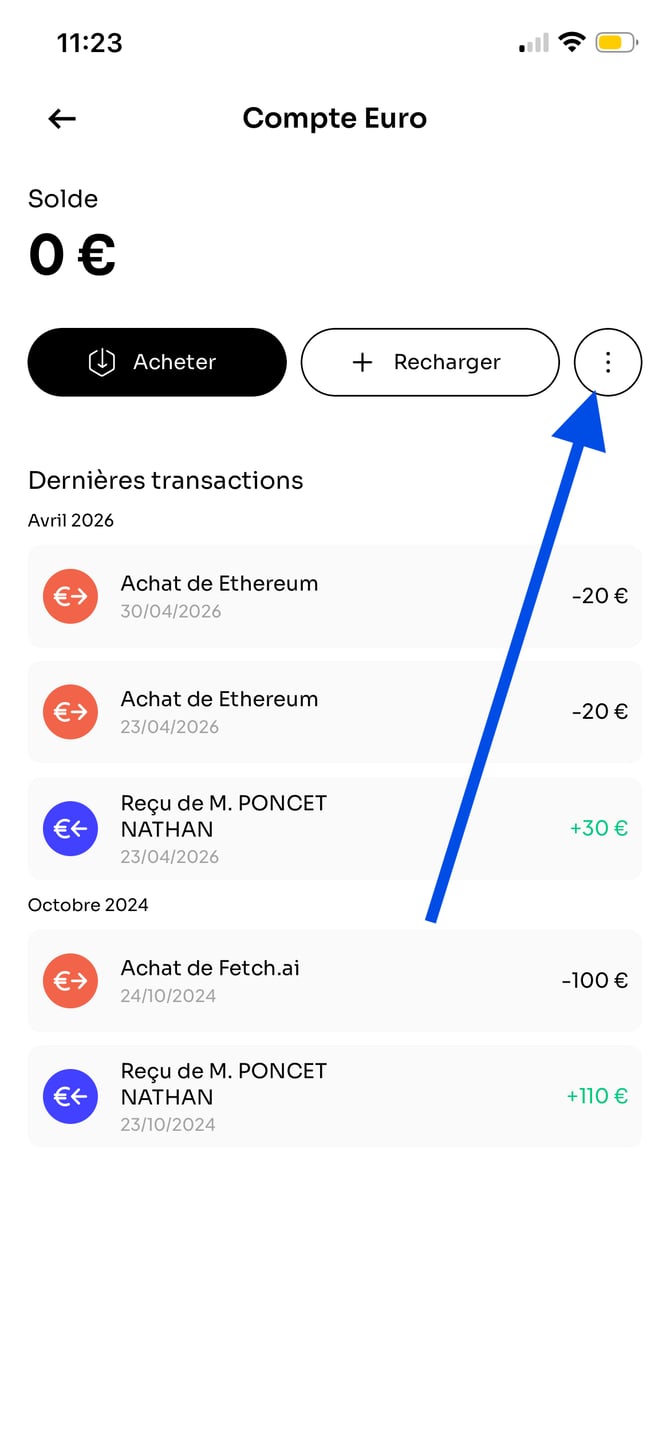
From the Euro Account page, tap the ⋮ button (three dots) at the top right.
-
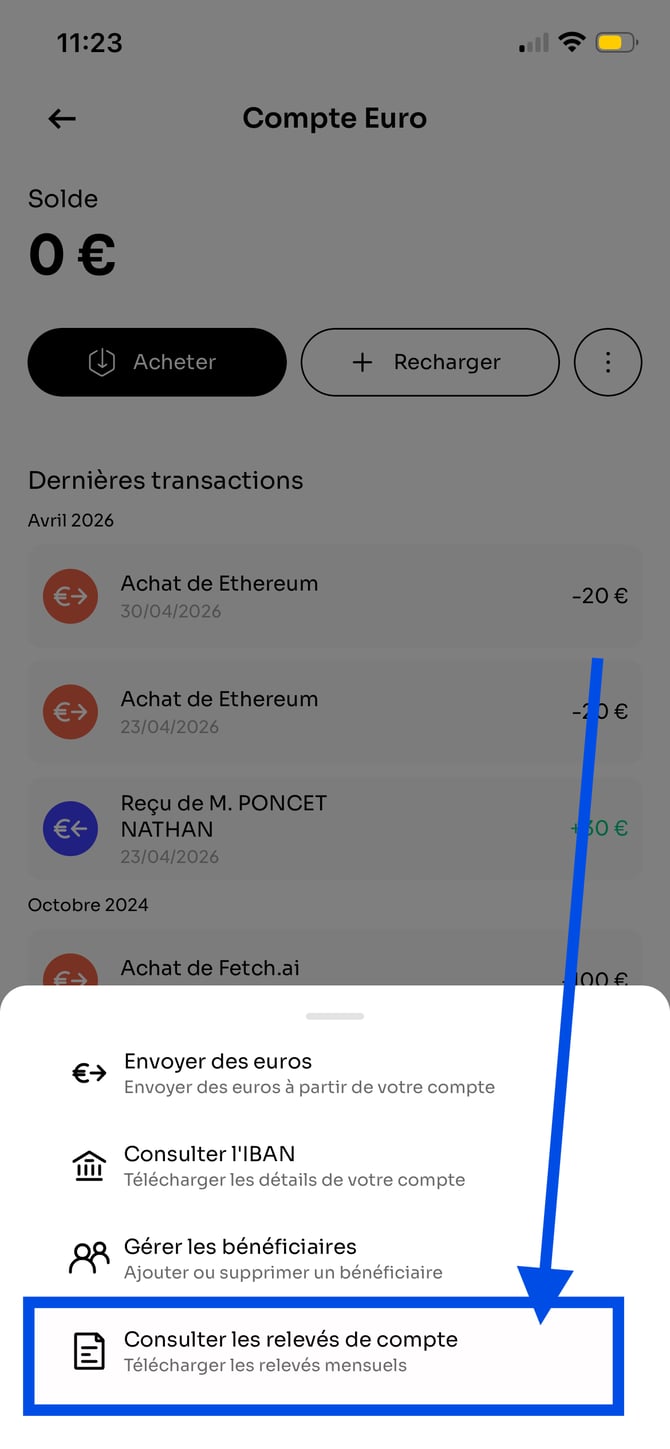
In the menu that appears, select View account statements.
-
You will reach the My statements page, which lists your available statements by year and by month.
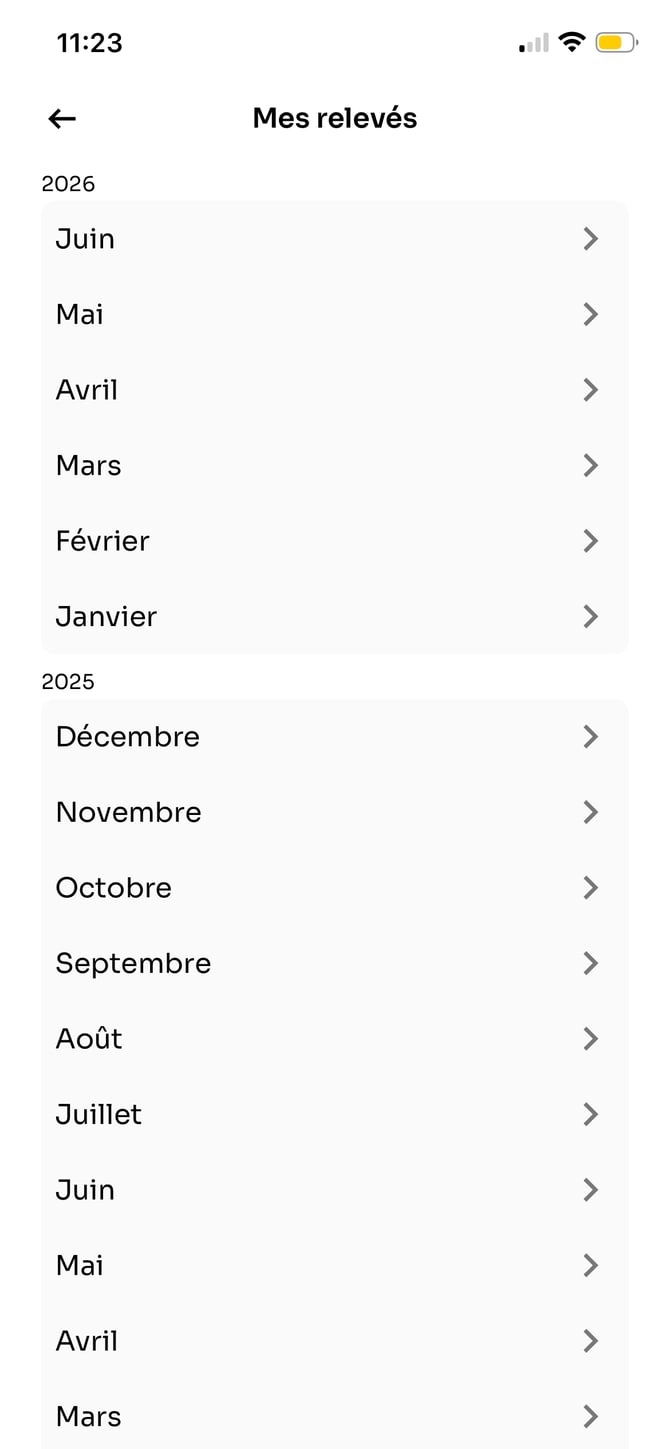
-
Tap the desired month to display a preview of your statement.
-
From the preview, tap the Share button to download the statement to your device, copy it, or send it via the application of your choice.
Congratulations! Your Euro Account statement is available in PDF format.
You can also export your full transaction history.
Here is how to get your buy and sell invoices in a few clicks
If you have any further questions, we are at your disposal !
Monday to Friday : from 9:30 to 12:30 and 13:30 to 18:00.
Contact us by phone 👉 +33 1 82 88 29 51