You need an invoice for a buy or sell transaction for your accounting?
It is very simple to get from your Coinhouse account. Here is how to do it ↓
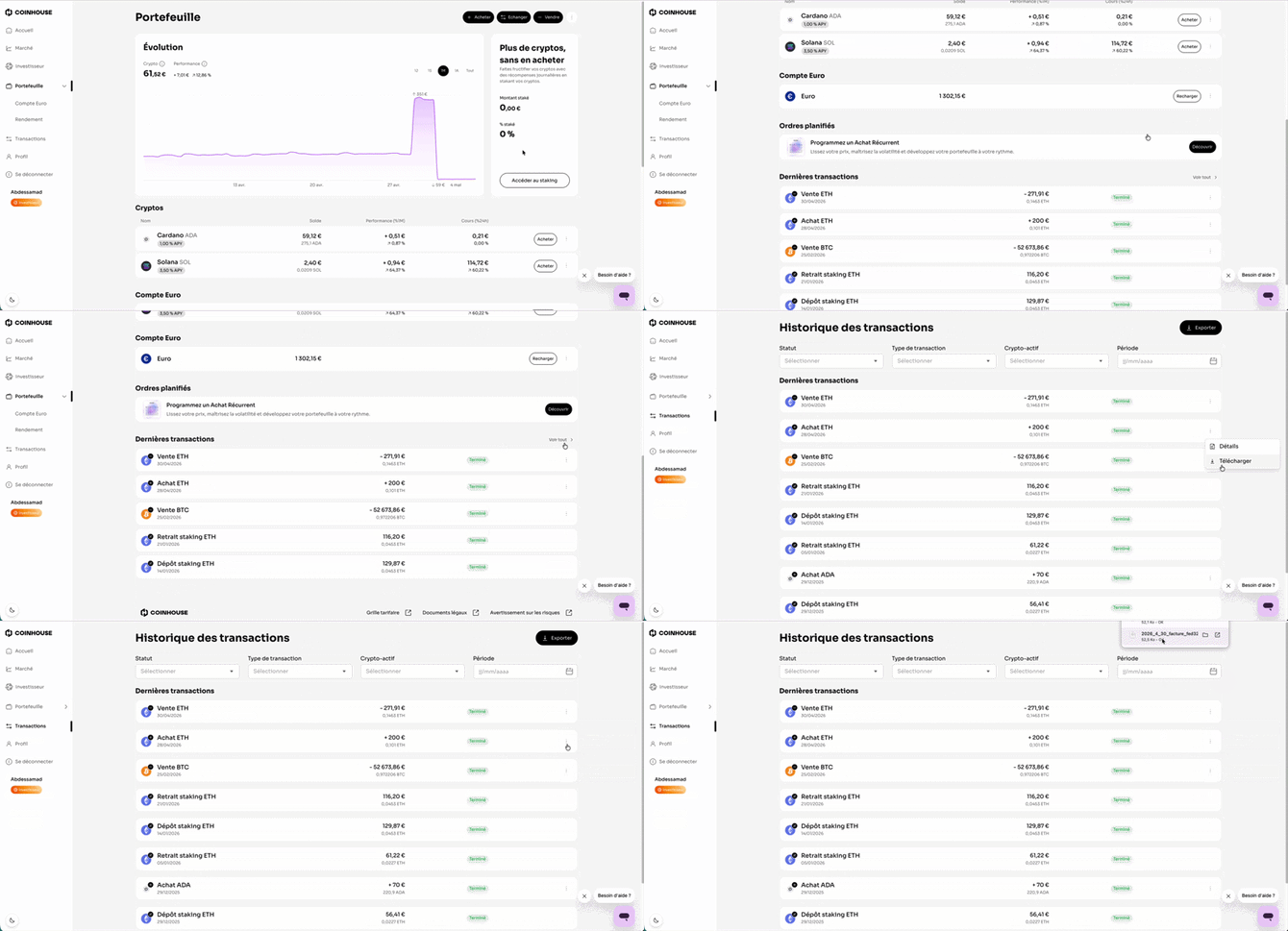
- Log in to your account on Coinhouse.com
- Go to the "Transactions" section
- Find the relevant transaction and click on the three small dots (⋮) located on the right
- Click on "Download"
- If you do not see the "Download" option, check that the transaction is finalized (not pending)
- Once downloaded, the file will automatically be located in:
- Windows: the Downloads folder of your File Explorer
- Mac: the Downloads folder of your Finder
💡 Articles that might interest you:
Crypto-asset taxation in France: how to file your tax return?
How to export your transaction history?
If you have any further questions, we are at your disposal !
Monday to Friday : from 9:30 to 12:30 and 13:30 to 18:00.
Contact us by phone 👉 +33 1 82 88 29 51