Adding a bank account is essential in order to carry out your sell transaction and receive the funds in your bank account.
How to add a bank account?
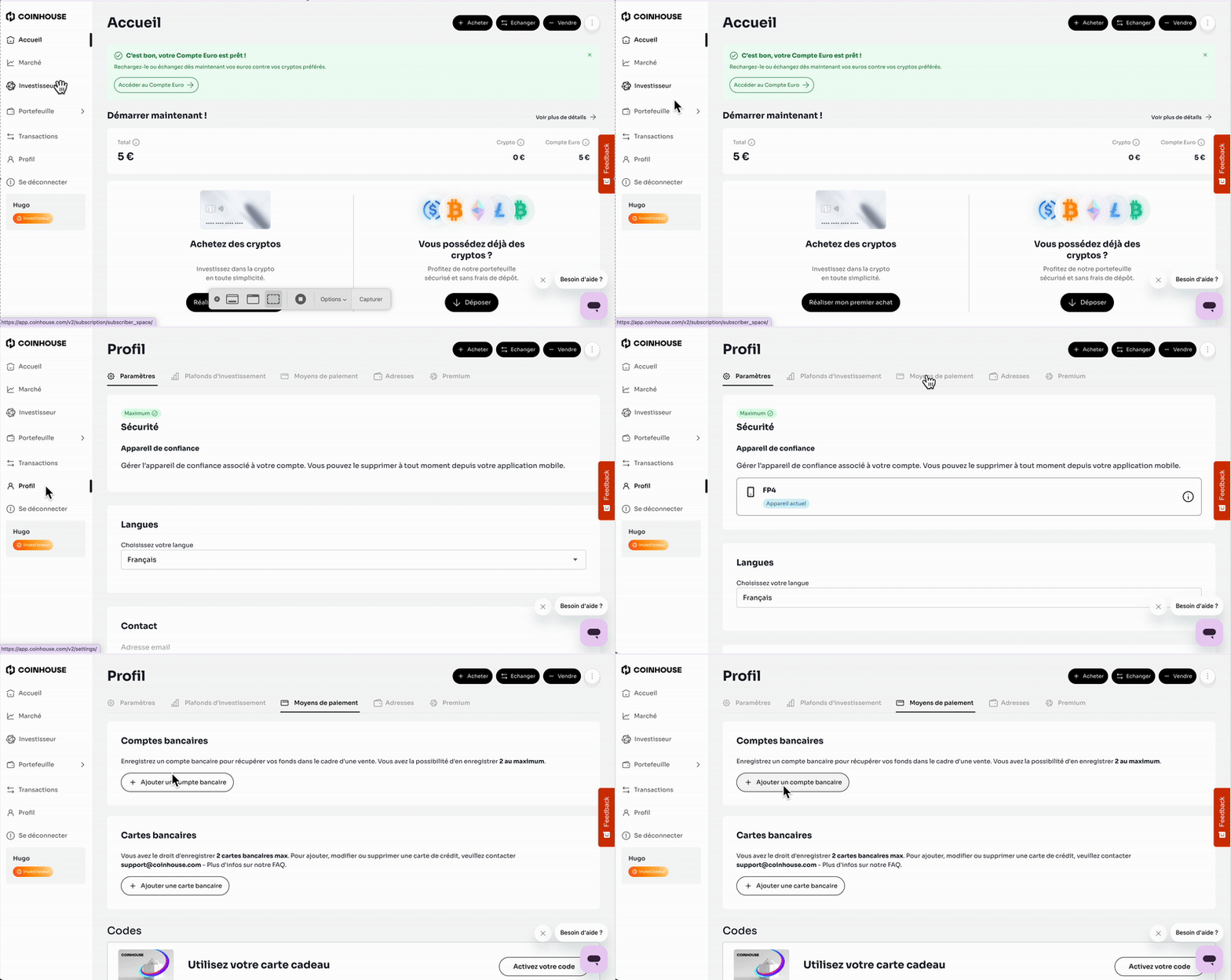
To add a bank account to your Coinhouse account, you will need to:
- Log in to your account via the login page.
- Click on "Profile".
- Click on "Payment methods".
- Click on "Add a bank account".
- Fill in the required information, then click on "Add".
- A confirmation code will be sent to you by email. You will need to enter and validate it for the bank account to be successfully registered.
Joint Bank Account:
If it is a joint bank account, you will need to contact us by email with:
- A photo of the bank account details (RIB) showing both names.
- A front and back photo of the co-account holder's identity document.
If you have any further questions, we are at your disposal !
Monday to Friday : from 9:30 to 12:30 and 13:30 to 18:00.
Contact us by phone 👉 +33 1 82 88 29 51