Coinhouse now gives you the option to download your transaction history from your personal account. This transaction history can be especially useful for making your tax declarations easier.
How to do it?
Once you are logged in to your Coinhouse account, simply:
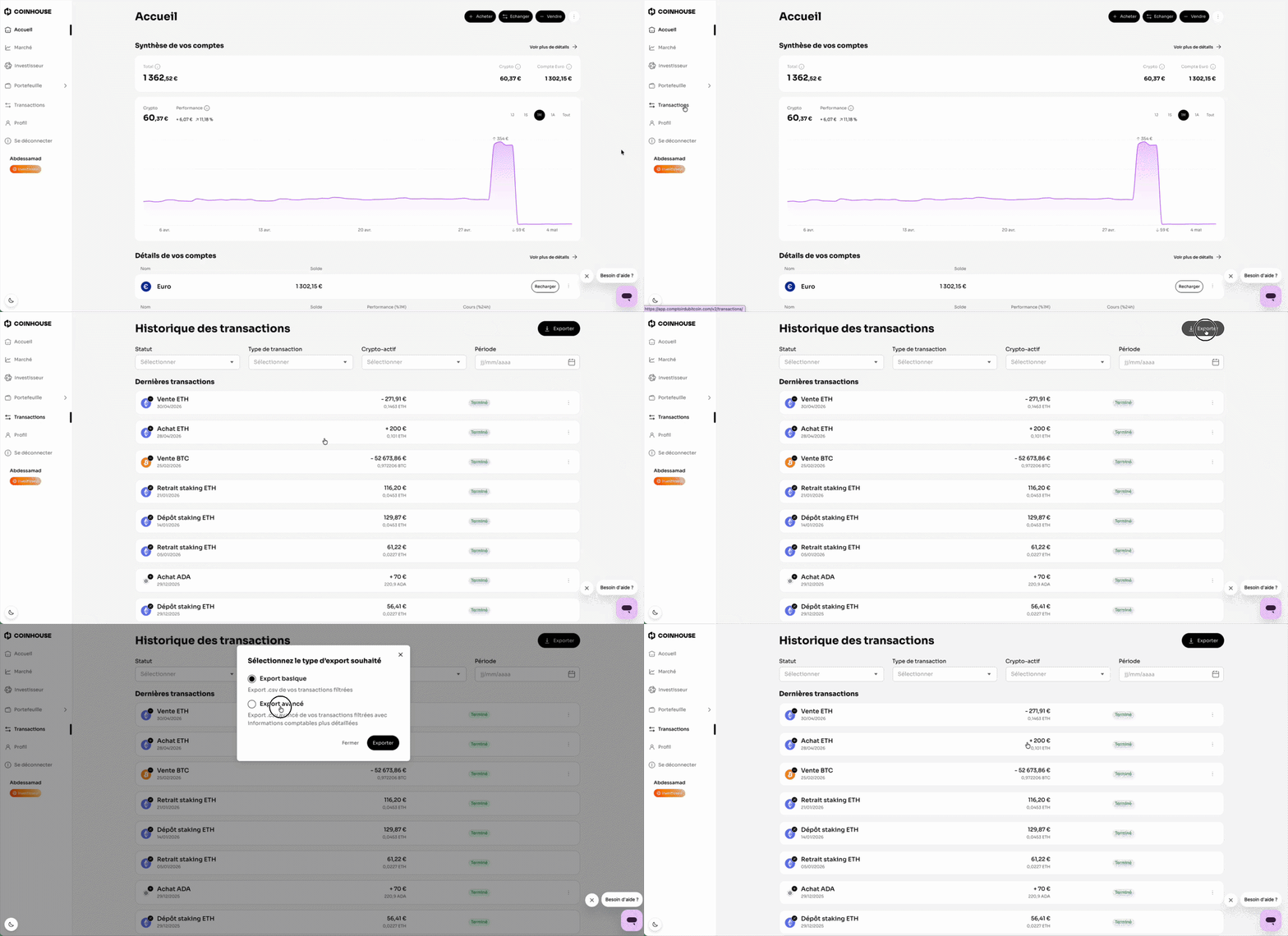
- Go to the Transactions tab.
- Click on Export.
- Choose one of the two options
- Basic export: .csv export of your filtered transactions.
- Advanced export: .csv export with more detailed accounting information. - Click "Export" to validate.
- A confirmation message "Export sent" will appear. Congratulations! You will receive your transaction history in CSV format at the email address associated with your Coinhouse account. Click "Close" to finish.
- Here is an article to get your buy and sell invoices in just a few clicks.
- You can also export transactions made from your Euro account.
If you have any further questions, we are at your disposal !
Monday to Friday : from 9:30 to 12:30 and 13:30 to 18:00.
Contact us by phone 👉 +33 1 82 88 29 51